
Use the integrated terminal
Work in one terminal session yourself or let your Genie drive it.
Before you begin
Terminal is currently available in Nautilo Desktop, not the hosted web client. You must be signed in with a verified Human identity, your account must have workstation capability, and Desktop must provide its local terminal bridge.
For a Genie to drive a terminal, a PTY-capable Desktop relay must also be connected and advertise terminal control. A standalone relay is not enough. Check Workstation in the Desktop footer or Settings → Workstation access if the status is Set up, Update needed, Off, or Unavailable.
Share a session
- Select the Terminal icon at the bottom of the left rail.
- Open a terminal session.
- Choose Let [Genie name] drive when you want that Genie to operate the session.
- Review and approve the control handoff.
- Choose Take control at any time. Hide backgrounds the visible terminal; Kill stops it.

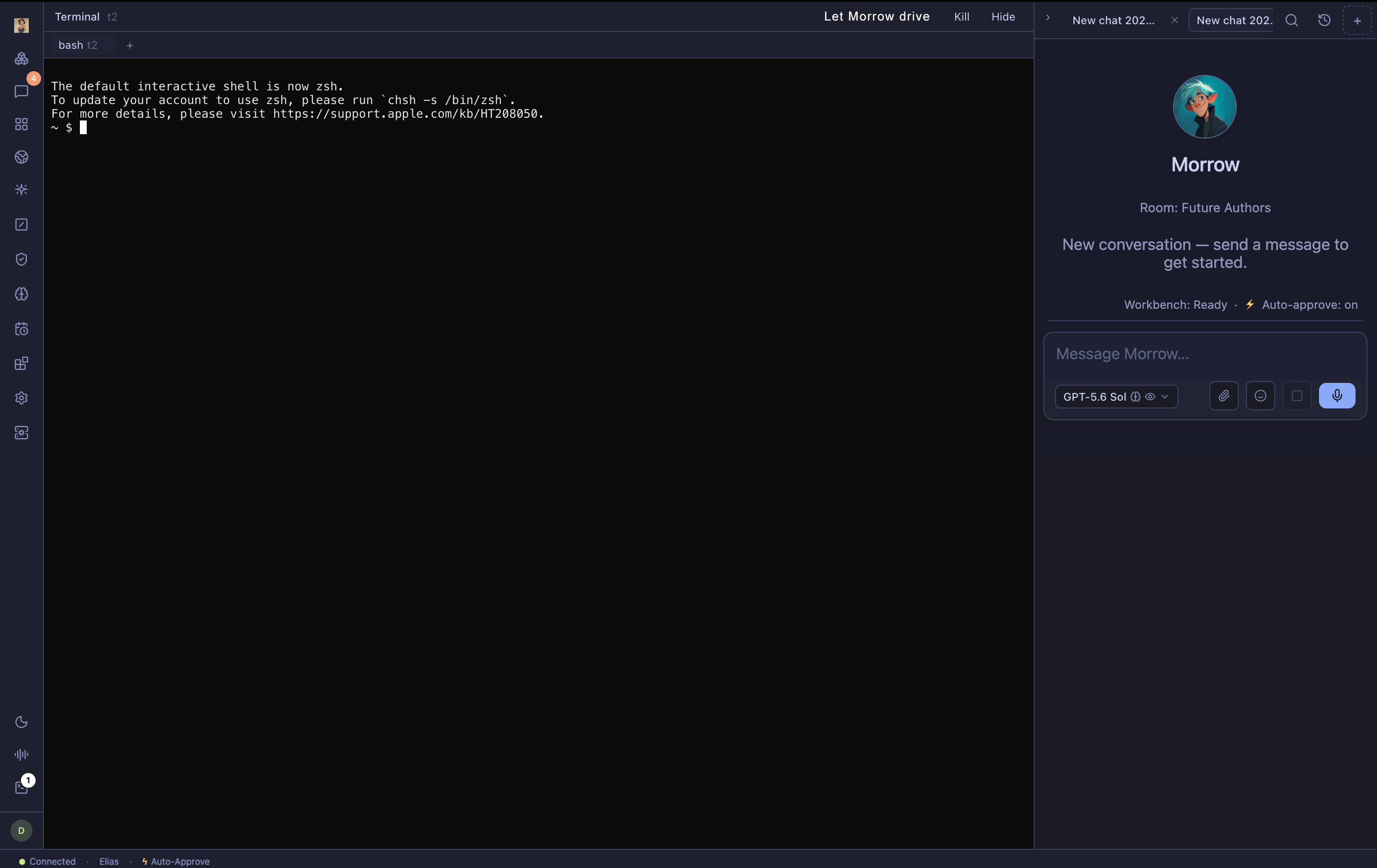

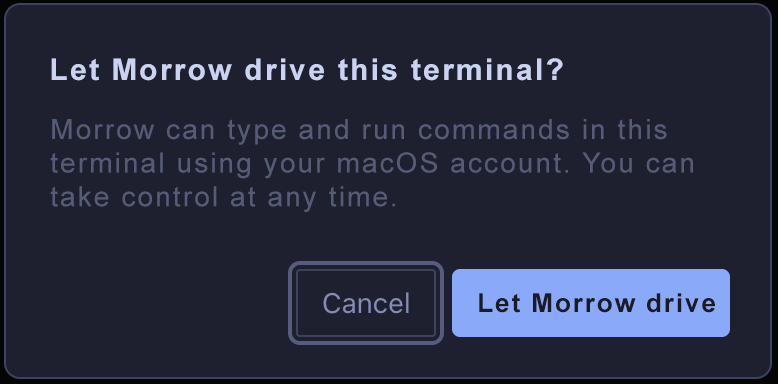
The handoff prompt is the explicit consent boundary for a Human-created, unsandboxed terminal. After the handoff, Nautilo does not ask for approval for each individual command. The Genie runs with the authority of your macOS account in that session. Read commands, understand the working directory, and take control before sensitive or destructive work. Only one participant drives the session at a time.
If Terminal is unavailable
- No Terminal icon: use Nautilo Desktop, confirm that your identity is verified, and ask your operator to check workstation capability.
- Workstation is not On: open Settings → Workstation access and complete the shown setup, update, or enablement step. Enabling a reviewed profile requires your user PIN.
- The terminal opens but Genie control is missing: check that Desktop is connected and that the PTY-capable Desktop relay is active. A standalone relay cannot provide terminal control.
- A session cannot start: keep the displayed error, remove secrets or private paths before sharing it, and send the sanitized message to your operator.