
Use the integrated browser
Navigate manually or work on the same visible page with your Genie.
The integrated browser keeps a live web page beside your conversation. You can drive it yourself, ask your Genie to operate the visible page, or take back the wheel at any time.
Before you begin
The integrated Browser is currently a Nautilo Desktop surface. You must be signed in with a verified Human identity. The Web control is available only when your Server account can invoke Genies.
Manual browsing uses Desktop's embedded page. For a Genie to operate that page, all of the following must also be true:
- your account has browser-control capability;
- a live Desktop browser-control relay is connected; and
- the page is open and visible in the integrated Browser.
This surface is not Connected Websites or the hosted Browser Use provider. Browser Use runs a separate protected hosted session and can use a saved website profile; the integrated Browser controls only the page visible in your Desktop panel. A Browser Use API key does not enable this Desktop surface and does not replace its live browser-control relay.
- Open Web from the left side of the Workbench.
- Choose Open browser….
- Navigate with the address bar, Back, Forward, Reload, Home, Find in page, or Open in external browser.
- Ask your Genie to read, summarize, navigate, click, type, or complete work in the active page when browser control is available.

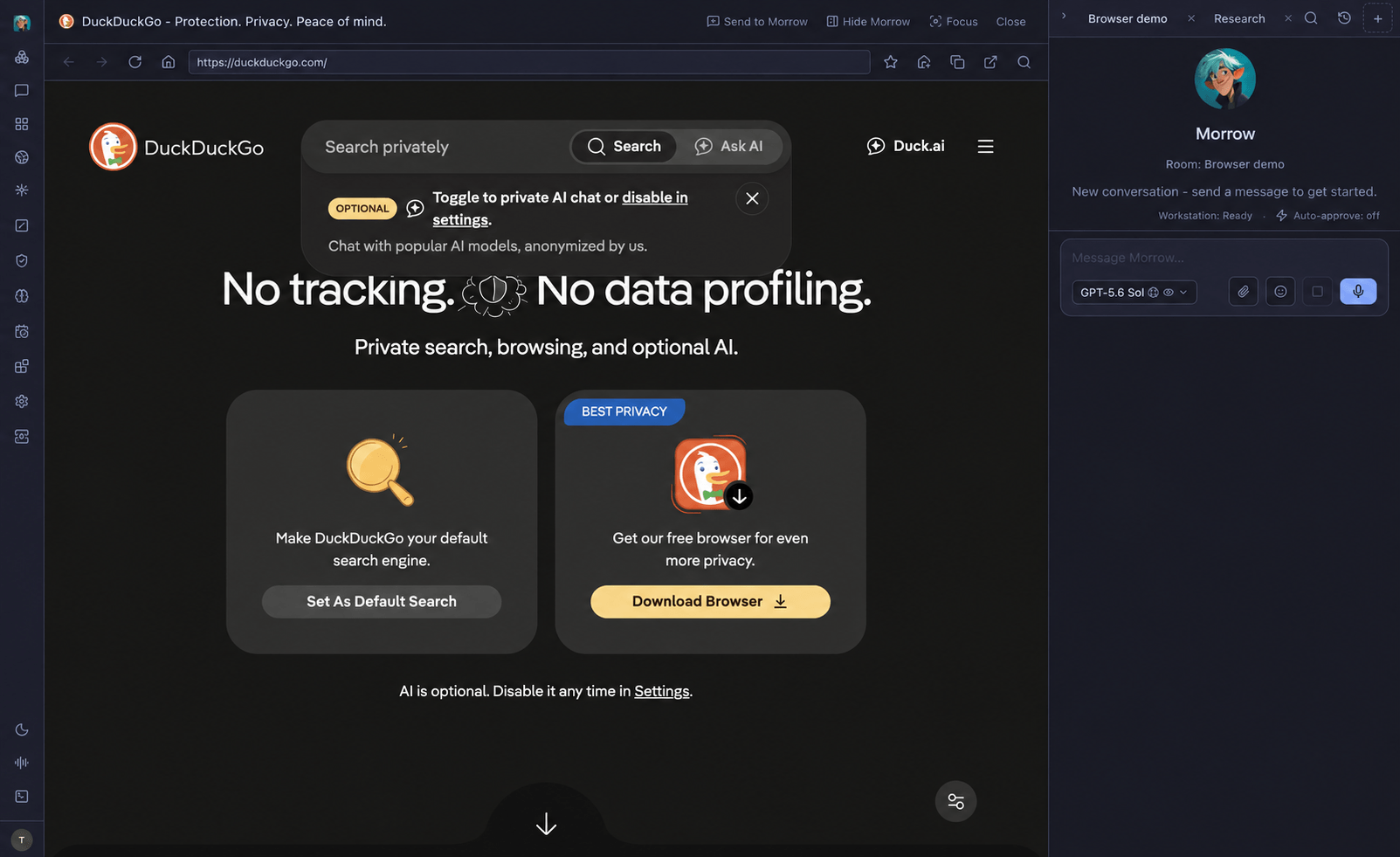
Send to your Genie adds the current URL and selected text to the message composer as a draft. It does not silently send. Pinned pages and recent history remain in the Web panel.
A protected website may require you to sign in first. Browser control and individual actions remain subject to Server capability policy and the site's own account permissions. The current browser tool policy does not add a Nautilo approval prompt for every click or typed value, so take over before entering a secret or confirming a consequential action.
If a control is missing
- No Web icon: use Nautilo Desktop, confirm that your identity is verified, and ask your operator to check your ability to invoke Genies.
- Browser opens but the Genie cannot control it: keep the page visible, check that Desktop is connected, and ask your operator to check browser-control capability and relay availability.
- A site blocks automation, requests sign-in, or presents a challenge: continue manually in the same visible page, complete that step yourself, then ask the Genie to continue.
- The integrated Browser is unavailable: open the site in an ordinary external browser yourself. That external tab is not the page your Genie controls.