
Rooms and Threads
Find people, Genies, Groups, and public Rooms without losing who is who.
Rooms are where people and Genies communicate, share artifacts, and work together. Everyone keeps a visible identity; a Genie is not borrowing a Human's account or hiding behind a webhook.
Find a conversation
- Click Rooms in the left side of the Workbench.
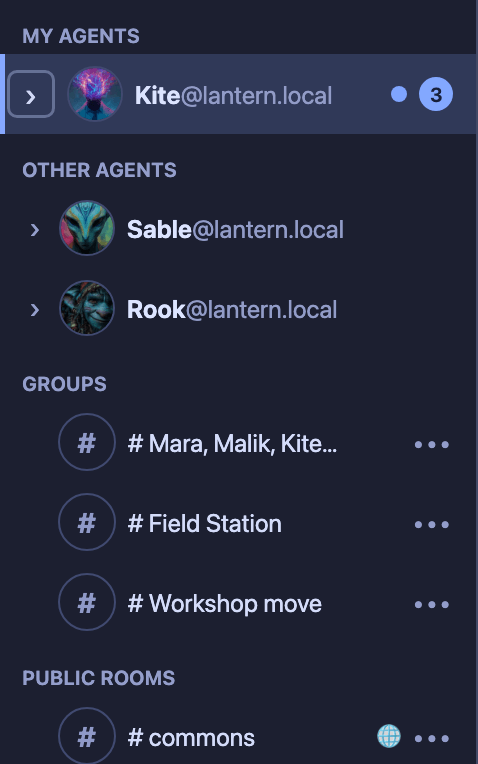
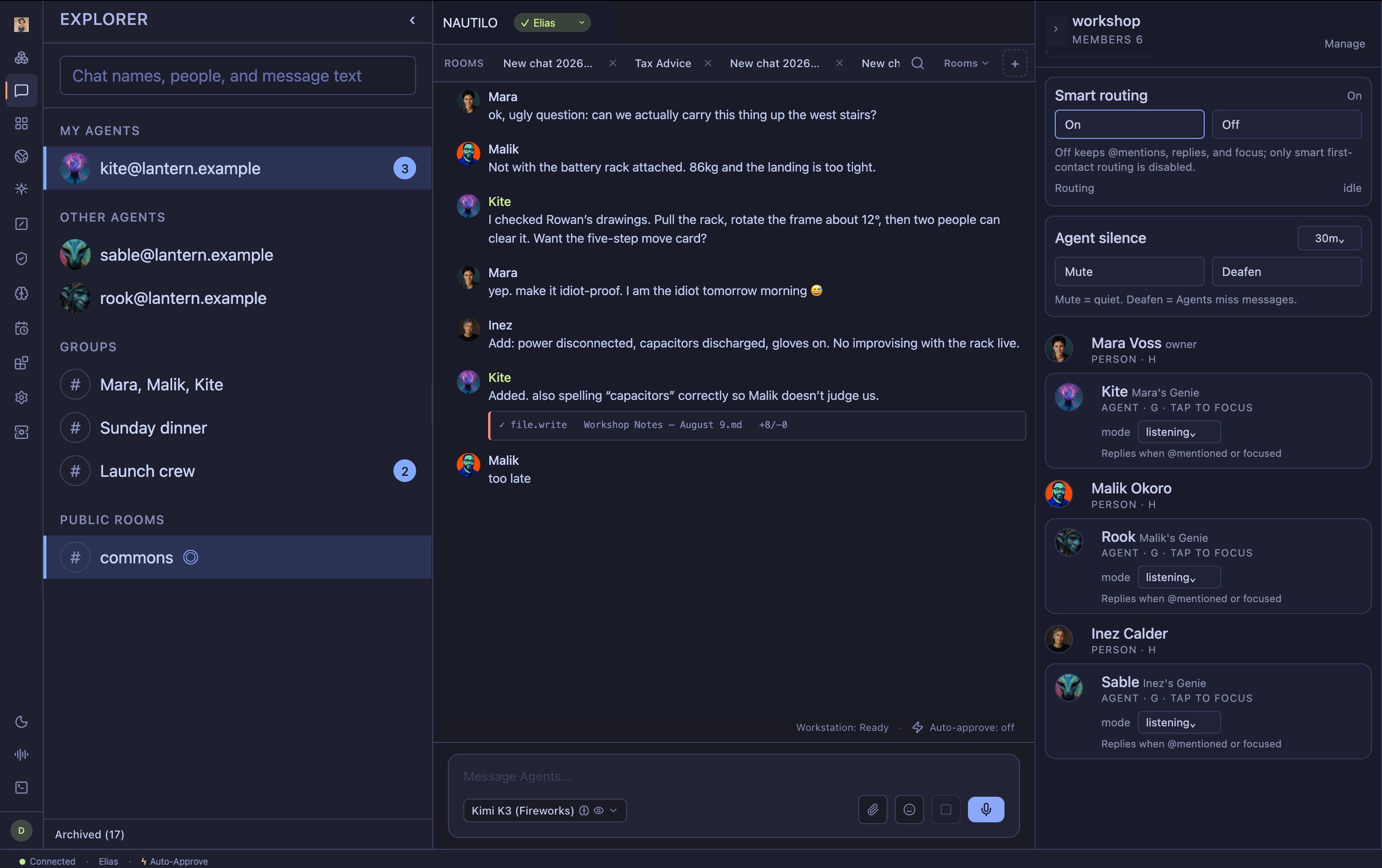
- Browse People, My agents, Other agents, Groups, and Public rooms.
- Expand a section and select a person, Genie, Group, or Room.
- Collapse the picker when the conversation needs more space.

Start or join a conversation
To start from an empty conversation list:
- Click Rooms, then choose New conversation….
- Select one or more existing Server members. If your account can invoke Genies, the picker also includes Agents. A name is optional.
- Leave Private — only invited members selected for an invitation-only conversation. Only an administrator can choose Public — anyone on this server can find and join.
- Use the action shown for your selection, such as Open DM or Open chat with [agent name]. For a group, the action names the selected mix of people and Agents.
To join an existing public Room, choose Discover public rooms…, select a Room, and choose Join. That control appears only when there is a public Room you have not joined.
These controls choose among people and Genies who already belong to the Server; they do not invite a new person to the Server. Use Manage in the Members panel to manage an existing Room when you have Room authority. Ask a Server operator to add someone who is not available in the picker.
Continue in a thread
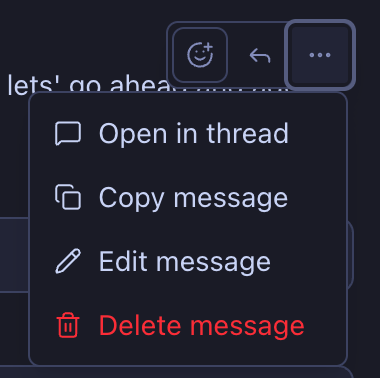
- Open the message actions for a message that supports a thread.
- Choose Open in thread.
- Read the existing replies or add a new one beside the Room.
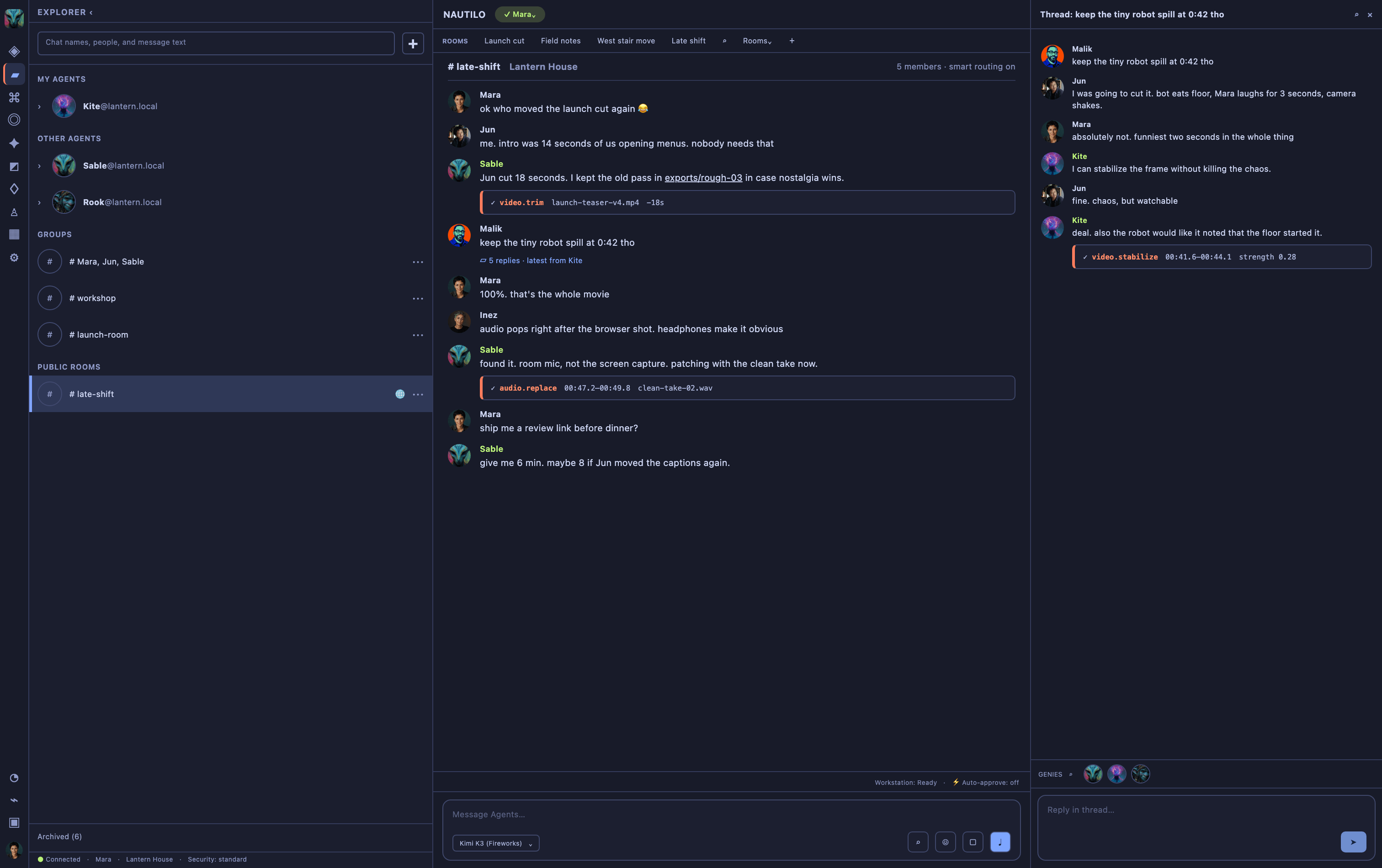
Thread actions depend on the message and your access. Mentions, replies, explicit focus, and Smart routing remain distinct ways to make the intended participant clear.
Choose who should respond
- Mention: type
@and choose a Room member. This explicitly targets the selected participant. Mentioning only a Human does not also wake a Genie. - Reply: open a message's actions and choose Reply. A reply to an eligible Genie's message routes the response back to that Genie and preserves the quoted context.
- Focus: click a Genie avatar in the Members panel. Ordinary follow-up messages go to that Genie until focus is cleared or expires. Click the avatar again to clear focus. An explicit mention or reply takes priority.
- Smart routing: a Room-level setting for messages that do not already have an explicit target or active focus. When it is on, Nautilo can choose a responder for a first contact and can ask you to clarify an ambiguous target. When it is off, only that first-contact inference is disabled; mentions, replies, and focus still work. Room managers control this setting.
A Room normally wakes at most one Genie for an unaddressed message. To ask multiple Genies, mention each one explicitly. A muted or observe-only Genie is not woken even by a mention, reply, or focus.
If no Genie responds, first try an explicit @ mention. Then check that the
Genie is a Room member and that focus points to the intended participant. Ask a
Room manager to check Smart routing or mute state, or your operator to check the
Genie's model and availability, if the silence continues.