
Password, PIN, and recovery codes
Manage account access and approval authority without confusing their credentials.
Nautilo separates account access from approval authority:
- Your account password signs you in.
- Recovery codes are one-time proof for password or approval-PIN recovery.
- Your approval PIN confirms sensitive local actions.
Manage credentials while signed in
Open Settings → Account security → Account & password to change your password and manage recovery codes. Use the separate Approval PIN section to create or change the PIN. Nautilo creates eight recovery codes at a time. Each code works once, plaintext is shown only when the set is created, and regenerating the set immediately invalidates every older code.
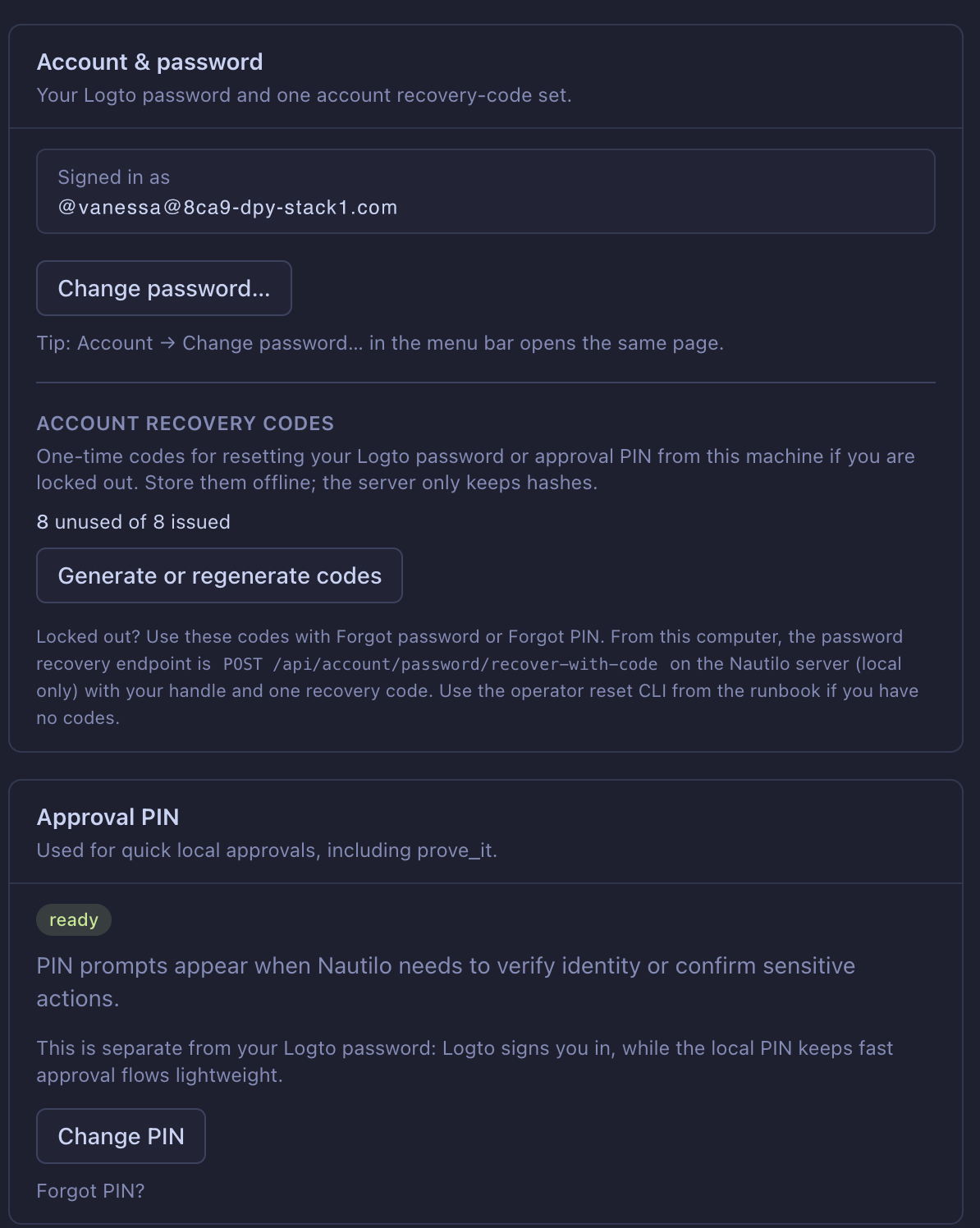
The approval PIN must contain 6–8 digits. Common weak PINs are refused. Do not store recovery codes beside the password they recover, and never send a code to support or a Server operator.
Recover a forgotten password
Start signed out at the Server sign-in screen and choose Forgot password?.
In a source-development checkout, a local Compose Server reached through
localhost offers a recovery-code relay: enter your handle and one unused code.
Nautilo opens the hosted password-reset page; complete the verification-code and
new-password steps there, return to Nautilo, and sign in with the new password.
The local relay waits for completion for about eight minutes, so restart the
flow if it expires. Do not assume another installed or hosted release exposes
this source-development relay.
Repeated invalid recovery attempts are rate-limited. Stop retrying and wait for the displayed retry time. The response is deliberately generic and does not confirm whether a handle exists.
This self-service relay is a localhost development path, not a universal form for every hosted Server. For another Server, ask its operator for its documented password-recovery path.
Recover a forgotten approval PIN
The PIN is not a sign-in credential, so sign in with your password first. Open Settings → Account security → Approval PIN → Forgot PIN?. Use one unused recovery code, or in Nautilo Desktop choose Verify with my password, then set a new 6–8 digit PIN. A used recovery code cannot be used again.
If you also forgot the password, recover the password first. Nautilo does not offer a universal signed-out PIN-reset form.
If no recovery code remains
If you are signed in, open recovery-code management, choose Re-authenticate when prompted, then Regenerate codes and save the new set immediately. If you are signed out and cannot recover the password, ask a Server administrator for help. Do not send the administrator your password, PIN, or recovery codes.
The following command is administrator-only. Before using --yes, the
administrator must verify both the selected CLI profile and the intended local
member's identity through a trusted channel:
nautilo members reset-password member-handle \
  --profile example-server \
  --yes \
  --handoff-file /path/to/protected/password-reset.json \
  --format json
This requires a signed-in CLI profile with member-management authority. The
handoff path must be a new, nonexistent absolute path inside a private,
administrator-owned directory; the CLI creates the file with mode 0600. It
cannot reset a federated account. The administrator must deliver the one-time
URL or temporary password securely; do not paste the handoff into chat or a
ticket. A member who receives a temporary password must change it before
ordinary access continues. After password recovery, sign in and use the
ordinary Forgot PIN? path. There is no supported signed standalone CLI
command that bypasses approval-PIN recovery.